
Joining the meeting on 12, November
Step 01:Please see the bottom of the ISPE2022 website and click "Access To Virtual Auditoriums".

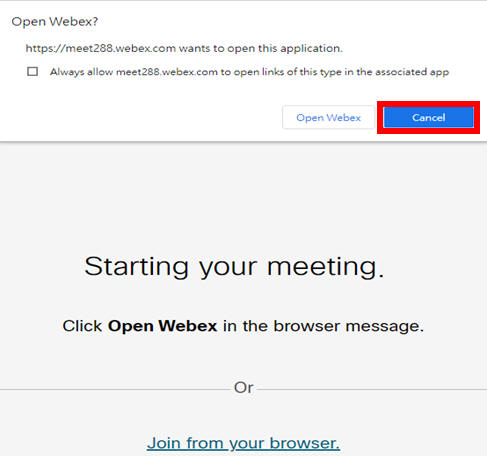
Step 02:Click "Cancel", then click "Join from your browser" to use Webex to access online.
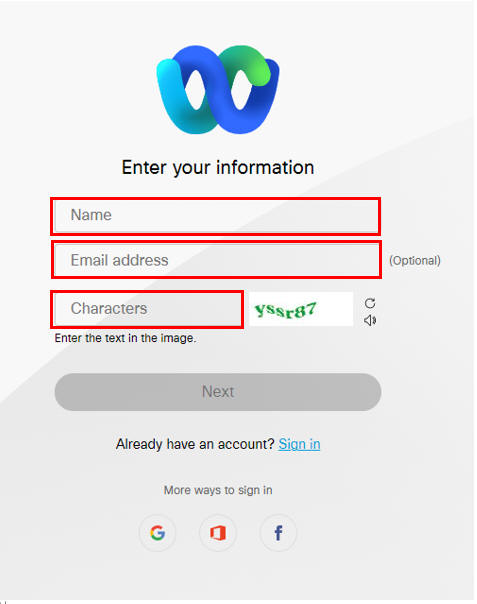
Step 03: Enter your email, your name, and the verification code sent by the system. Click NEXT when finished.
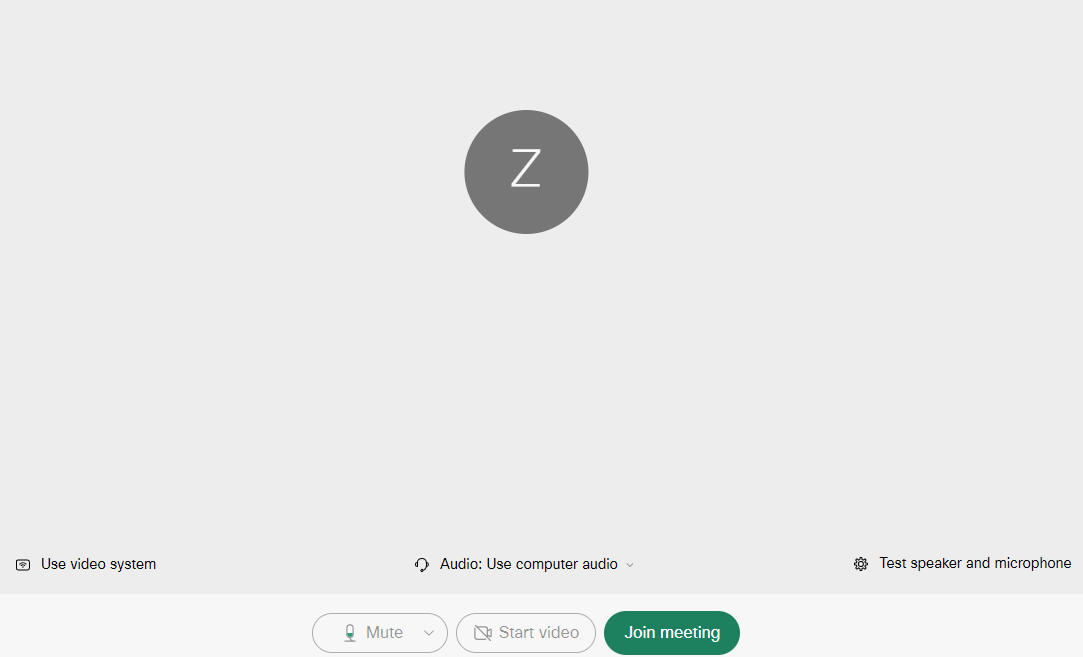
Step 04: Click on the green button to "Join the meeting" and wait for the attendant to confirm before joining the online meeting.
Thank you for joining ISPE2022.
If you have any questions, please feel free to contact us (nchugipe@gmail.com).